BettorEdge Community Guide • Desktop Web Guide
How to Use the Calcutta Auction Value Calculator
Step-by-step guide for How to Use the Calcutta Auction Value Calculator. Follow each screen to complete the workflow in BettorEdge.
Step 1Link to this stephttps://start.bettoredge.com/tools/calcutta-value-calculator/workspace
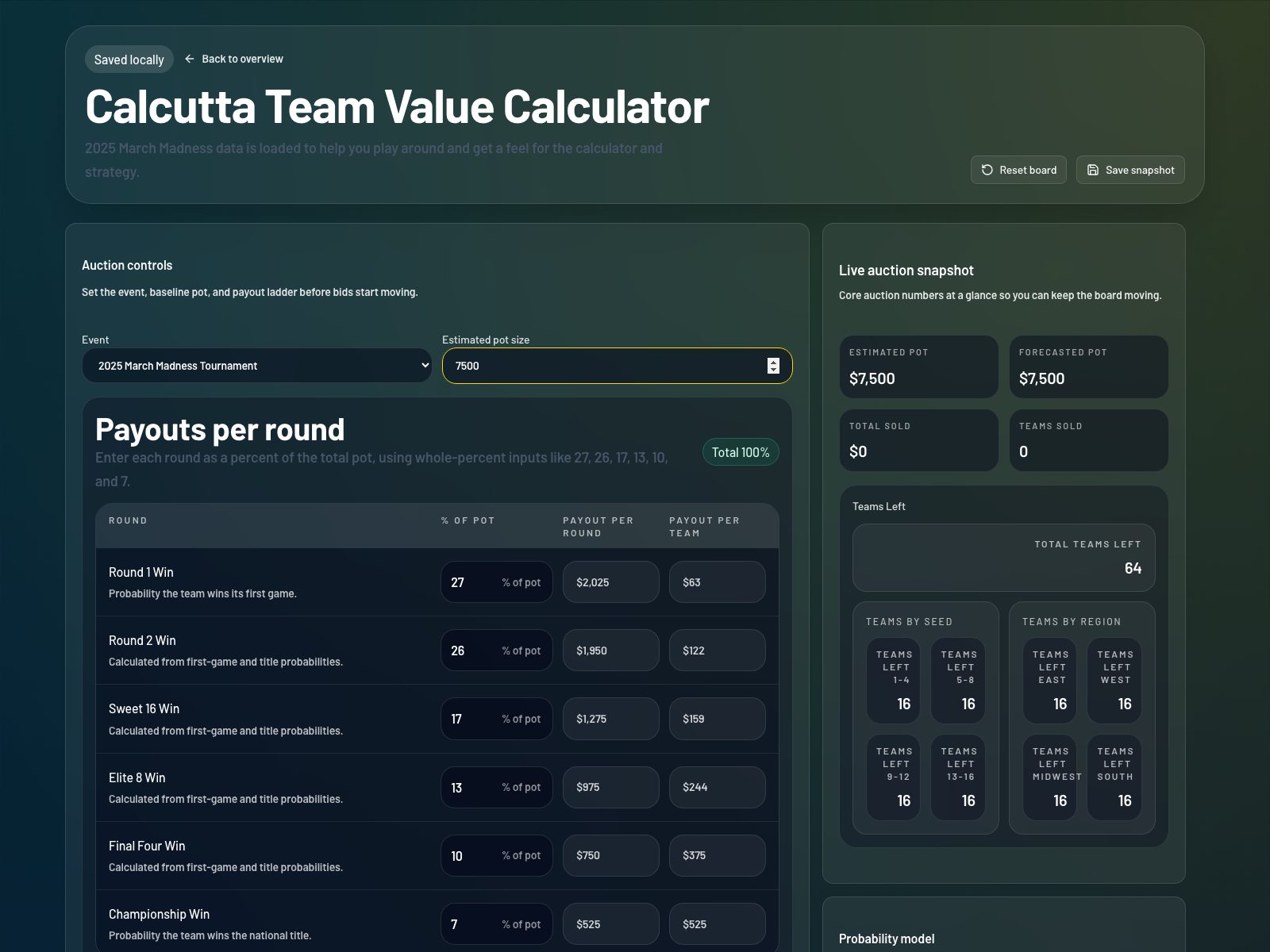
Open the Calcutta workspace and confirm the loaded event
Go to the Calcutta Value Calculator workspace. For this walkthrough, use the Event selector set to 2026 March Madness Tournament so the demo teams and probabilities match the guide.
1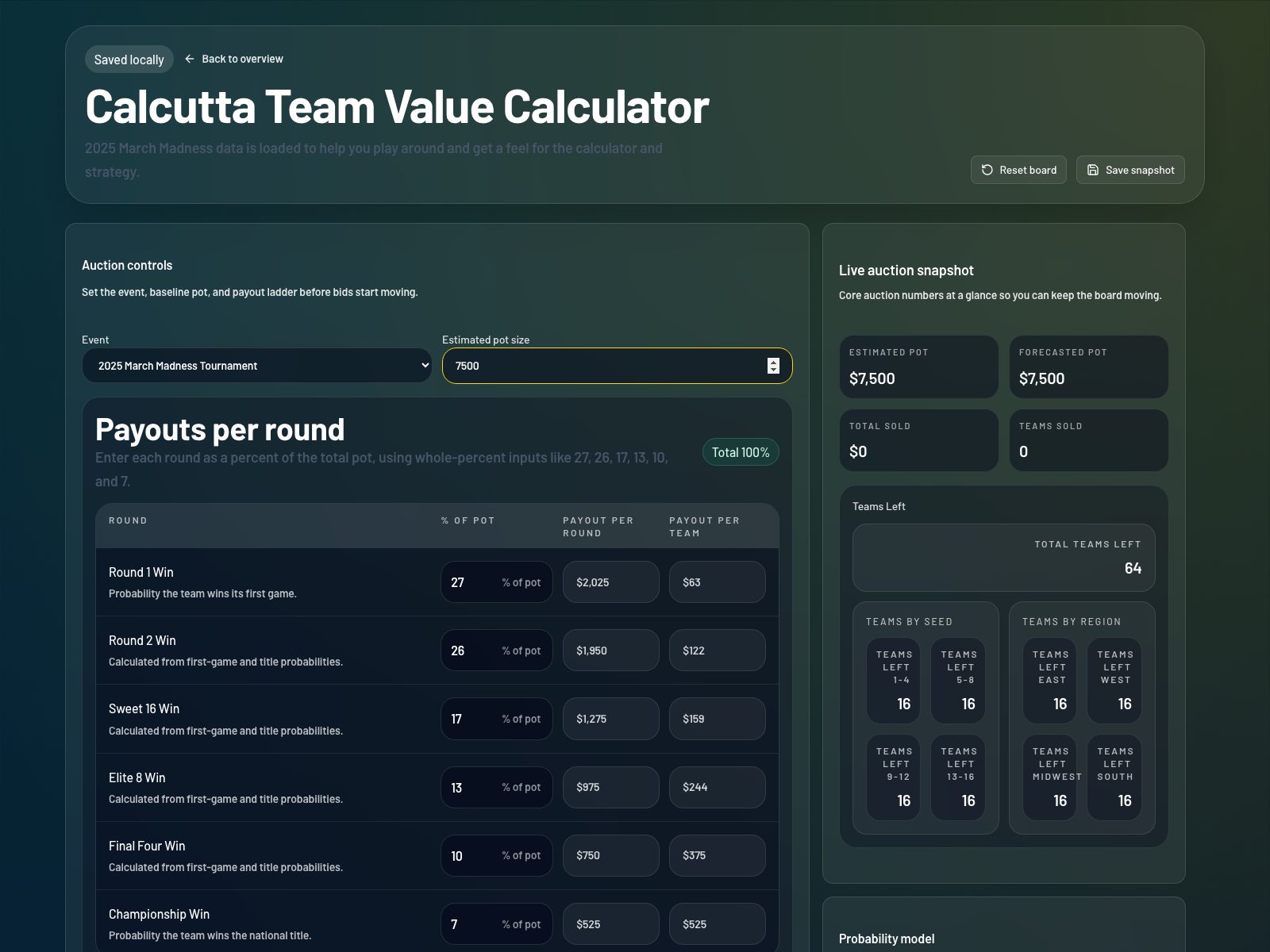
Step 2Link to this stephttps://start.bettoredge.com/tools/calcutta-value-calculator/workspace
Set your estimated pot size before bidding starts
In Auction controls, enter the pot size you expect your room to reach. BettorEdge uses this number to calculate each team's expected price before live auction results create a stronger forecast.
2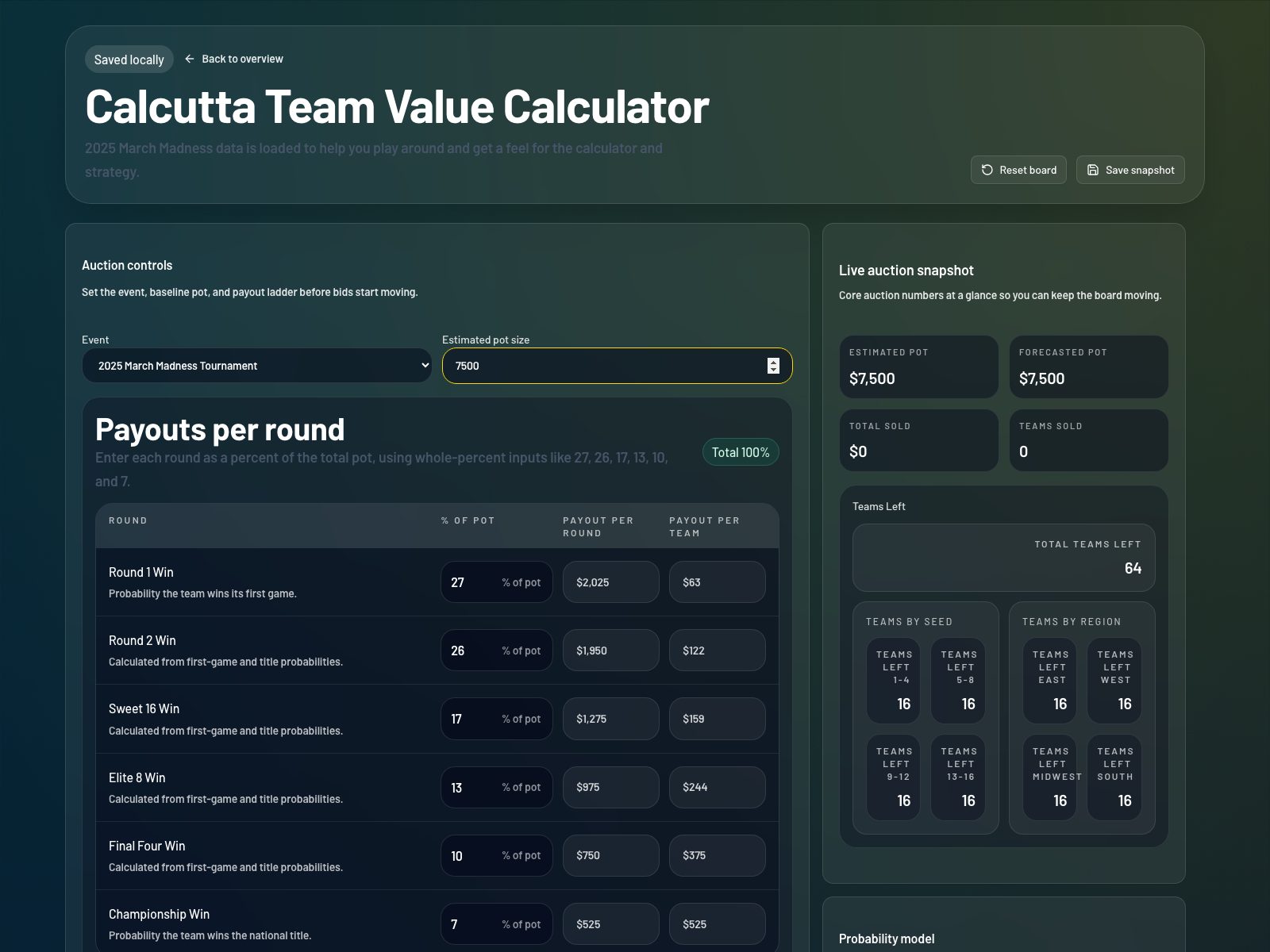
Step 3Link to this stephttps://start.bettoredge.com/tools/calcutta-value-calculator/workspace
Review or edit the payout ladder so it totals 100%
Use the Payouts per round section to enter each round's percentage of the pot. The total should equal 100%. The workspace also shows payout per round and payout per team so you can sanity-check the structure before the auction begins.
3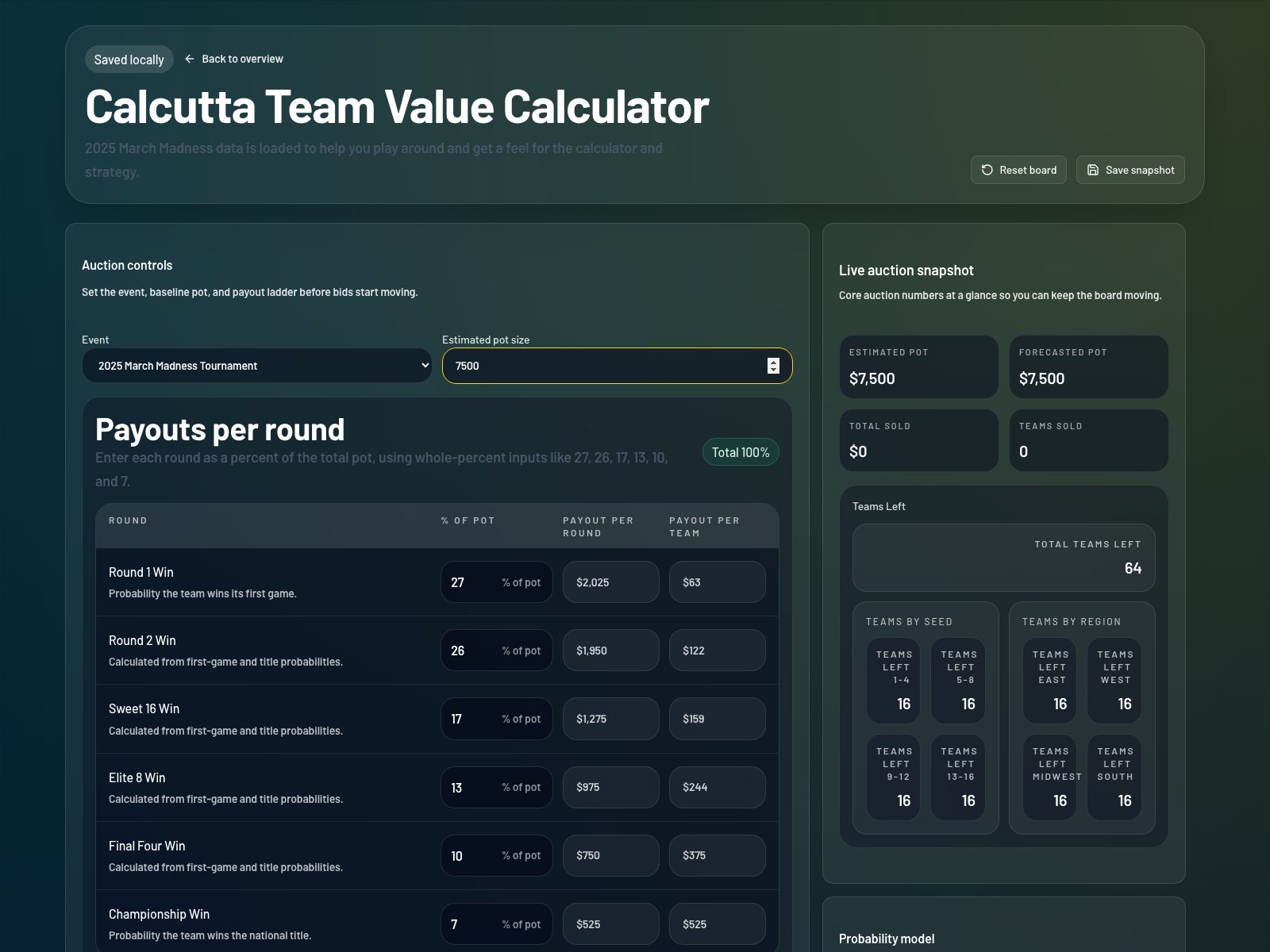
Step 4Link to this stephttps://start.bettoredge.com/tools/calcutta-value-calculator/workspace
Use the live auction snapshot to monitor the room
Watch the Estimated Pot, Forecasted Pot, Total Sold, and Teams Sold cards as the board fills in. The Teams Left panels help you quickly see how much high-seed and region-specific inventory is still available.
4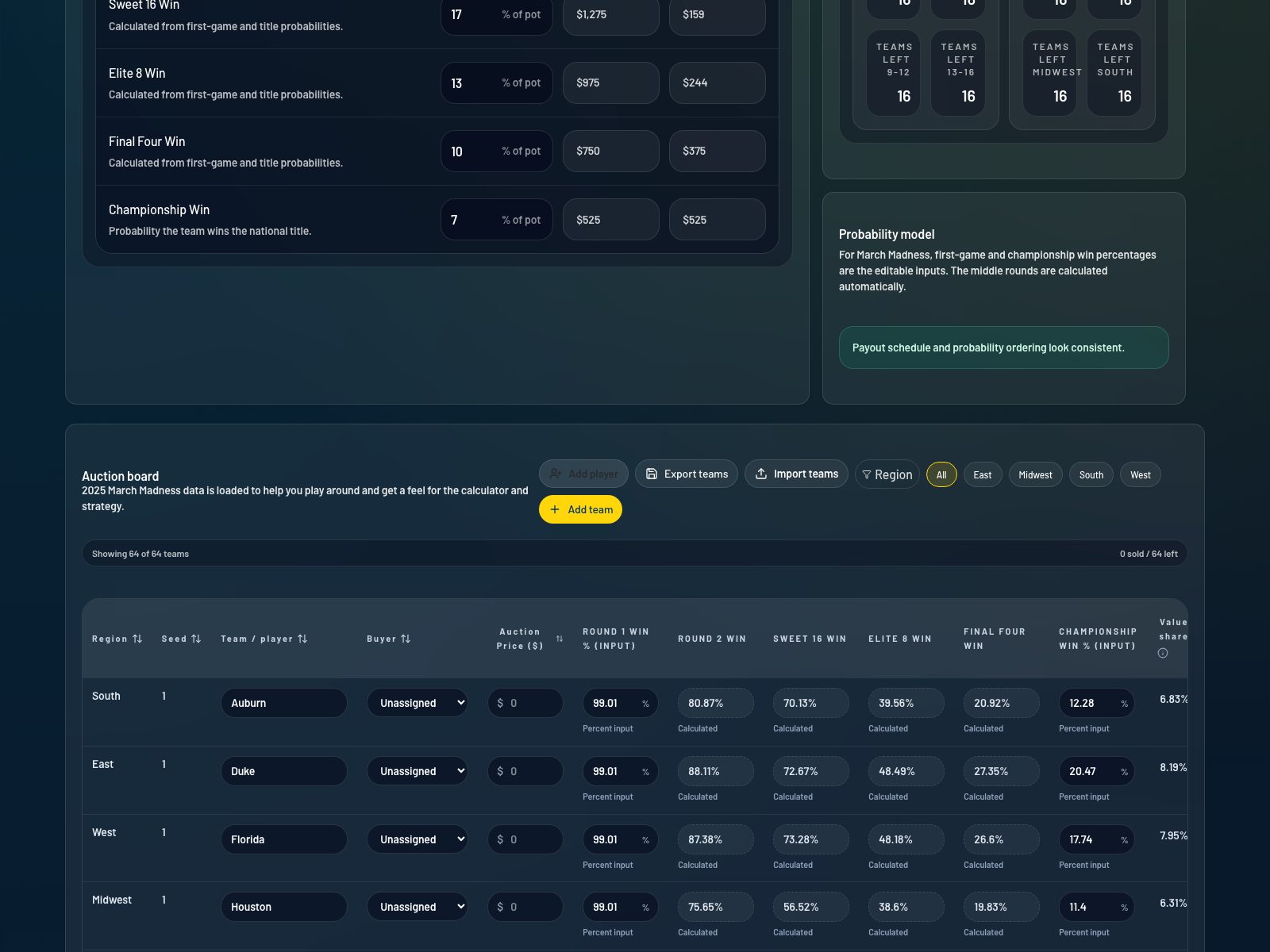
Step 5Link to this stephttps://start.bettoredge.com/tools/calcutta-value-calculator/workspace
Understand how the March Madness probability model works
For the 2026 March Madness demo, BettorEdge treats first-game win and championship win as the direct inputs. The middle rounds are derived automatically so you can model team value faster without manually filling every round.
5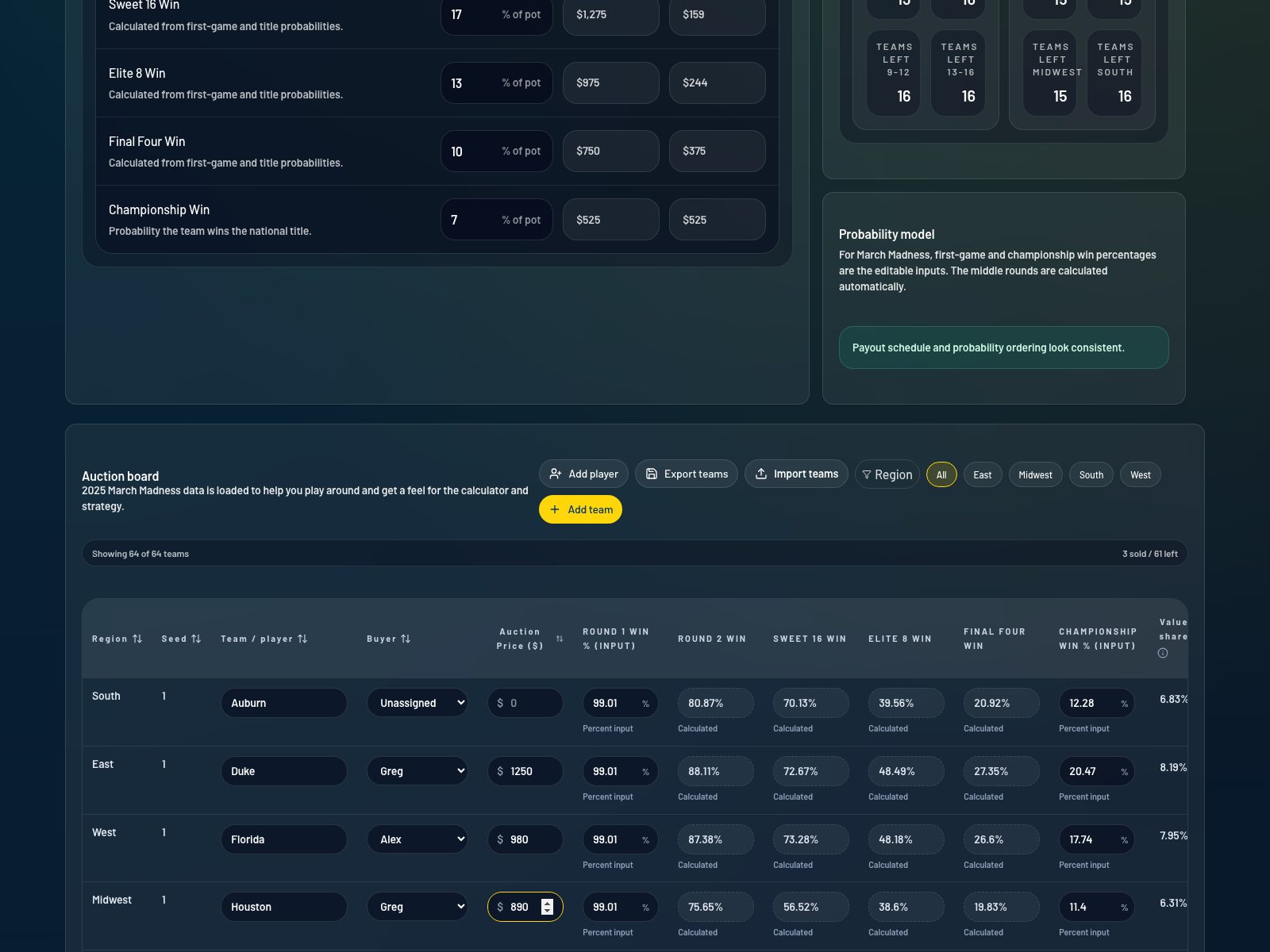
Step 6Link to this stephttps://start.bettoredge.com/tools/calcutta-value-calculator/workspace
Enter buyer names and sold prices on the auction board
In the Auction board table, assign a buyer, enter the sold price, and update any probabilities you want to change from the loaded demo values. This is the main working area during a live Calcutta auction.
6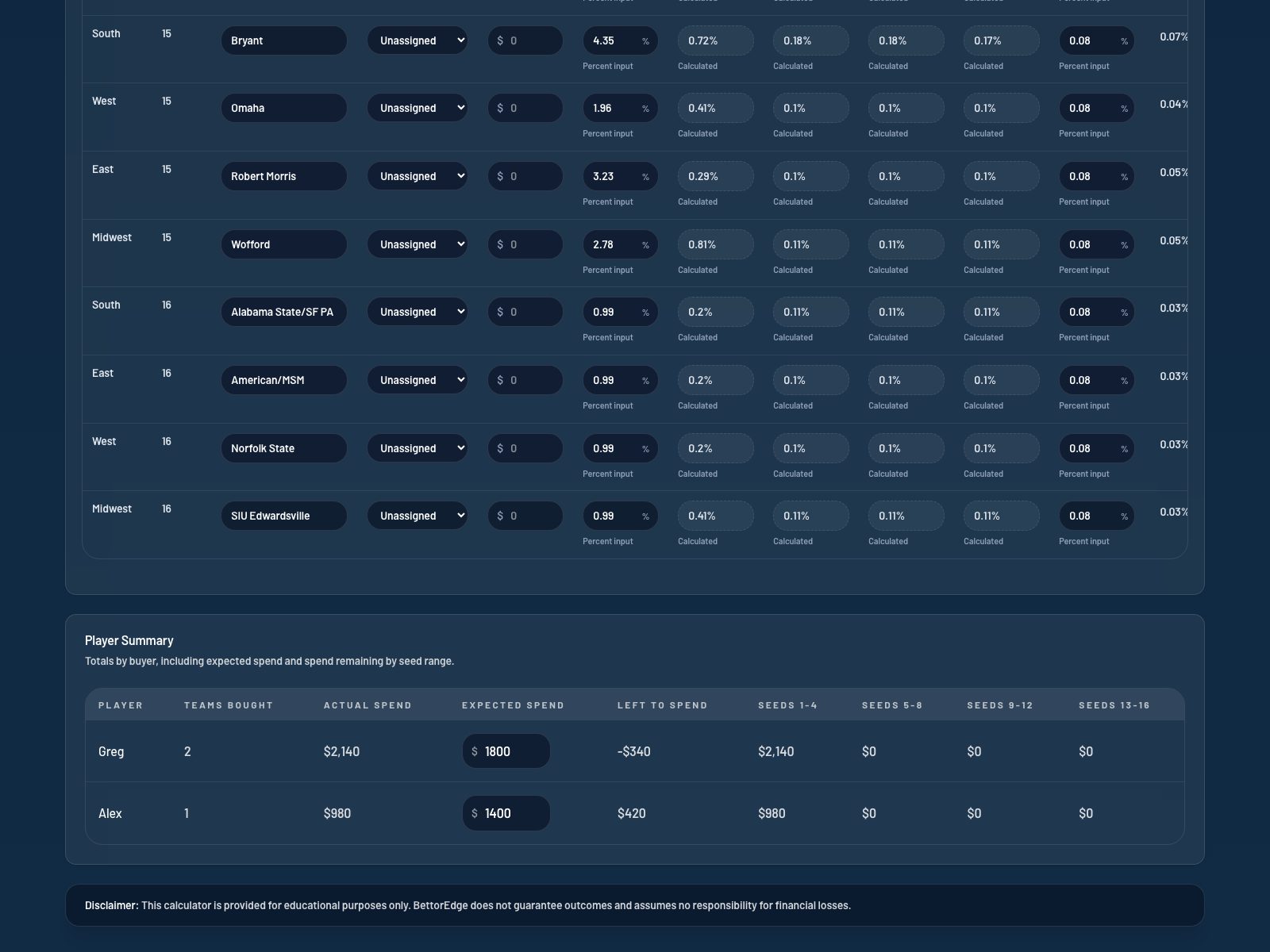
Step 7Link to this stephttps://start.bettoredge.com/tools/calcutta-value-calculator/workspace
Compare value share, expected price, and ROI for each team
Use the Value share, Expected price estimated, Expected price forecast, Forecasted ROI, and Implied pot columns to judge whether a team is overpriced or underpriced relative to BettorEdge's model.
7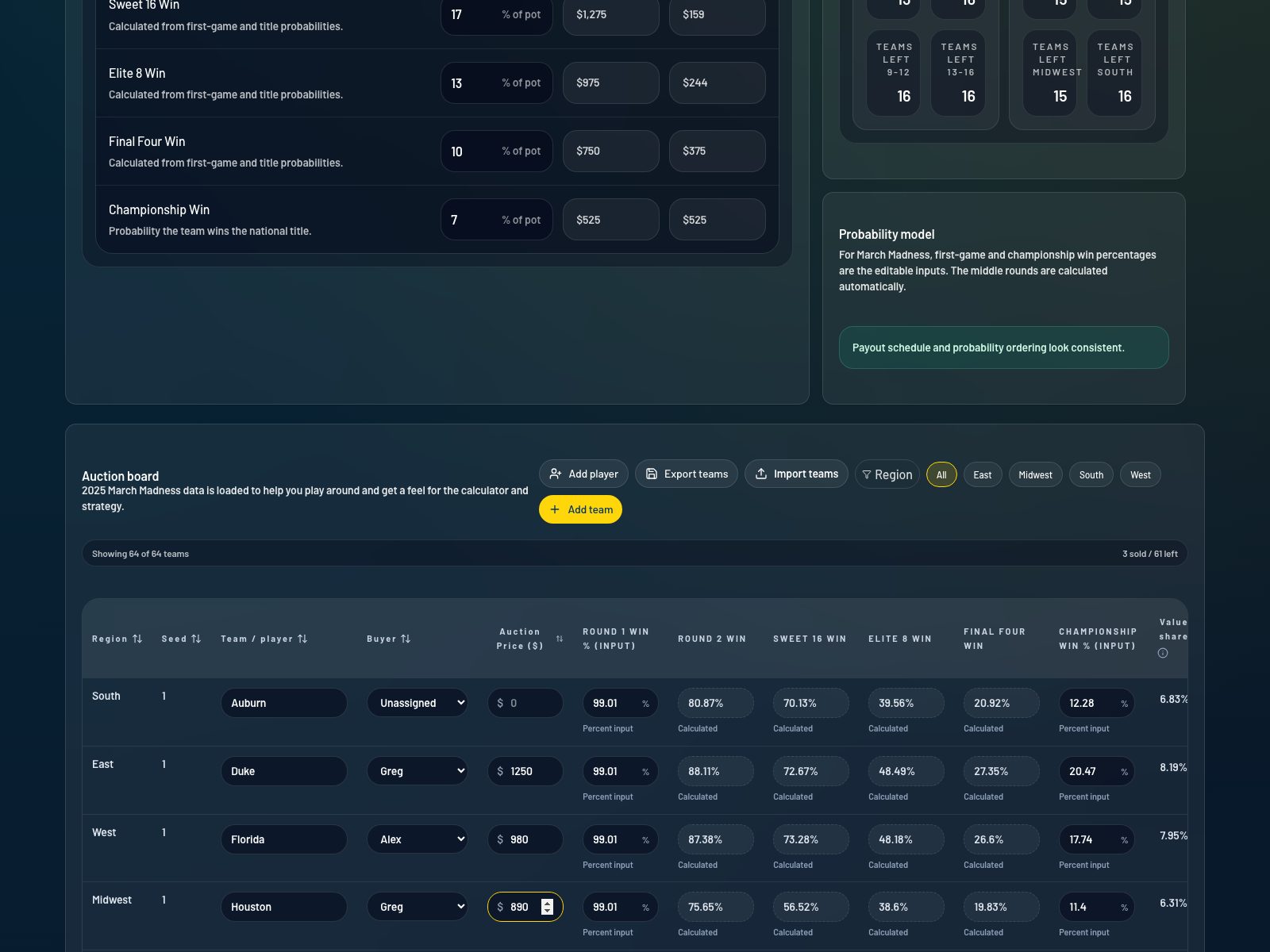
Step 8Link to this stephttps://start.bettoredge.com/tools/calcutta-value-calculator/workspace
Filter, export, or import the board as needed
Use Region filters to isolate part of the bracket, Export teams to download the auction board as CSV, or Import teams to continue from an existing board. This is especially useful if you are hosting the auction or want a shareable backup.
8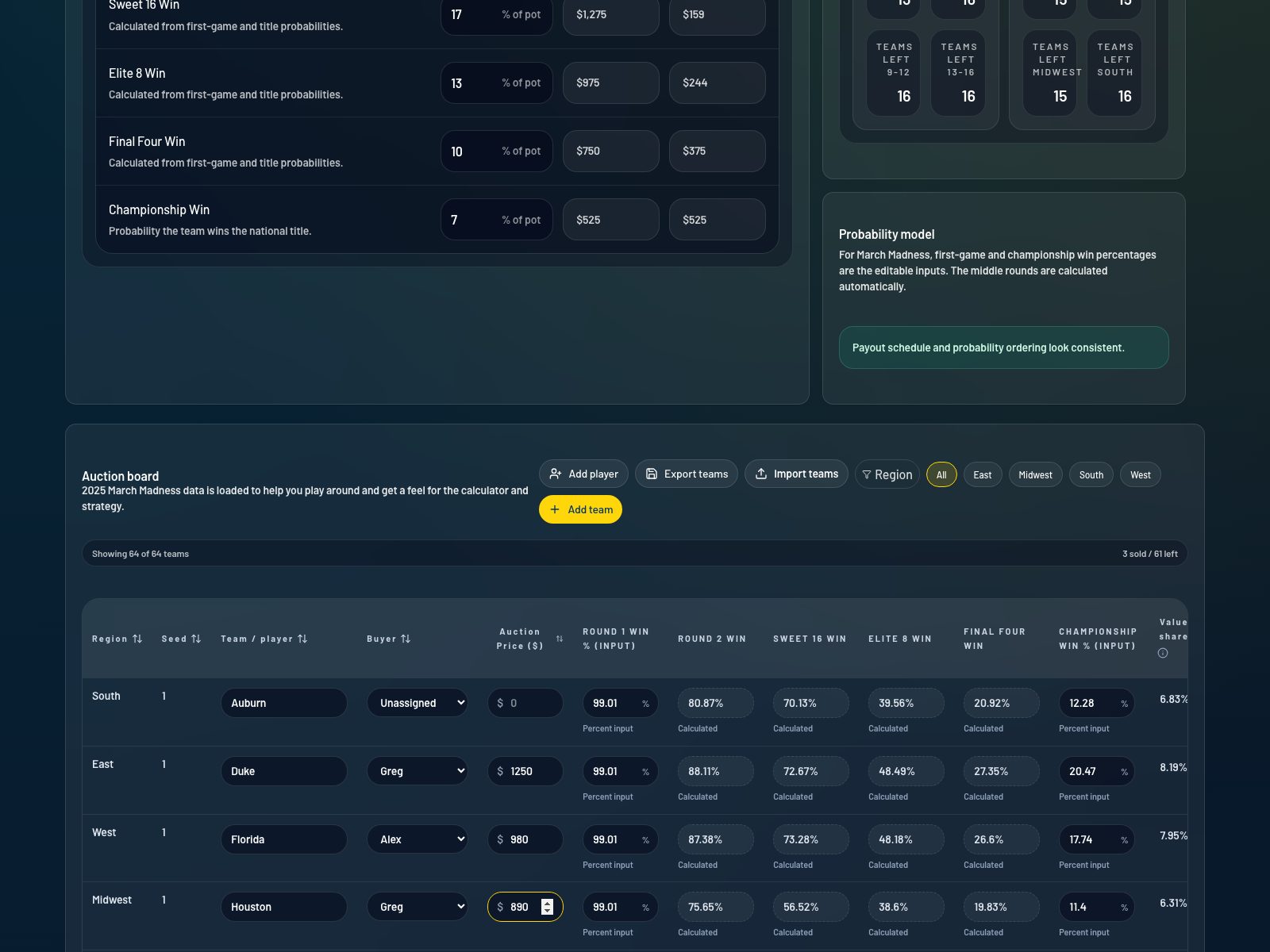
Step 9Link to this stephttps://start.bettoredge.com/tools/calcutta-value-calculator/workspace
Use Player Summary to track spend by buyer
Once teams start selling, the Player Summary section shows how many teams each buyer has purchased, how much they have spent, and how their spend breaks down across seed ranges. This helps you understand room behavior and remaining buying power.
9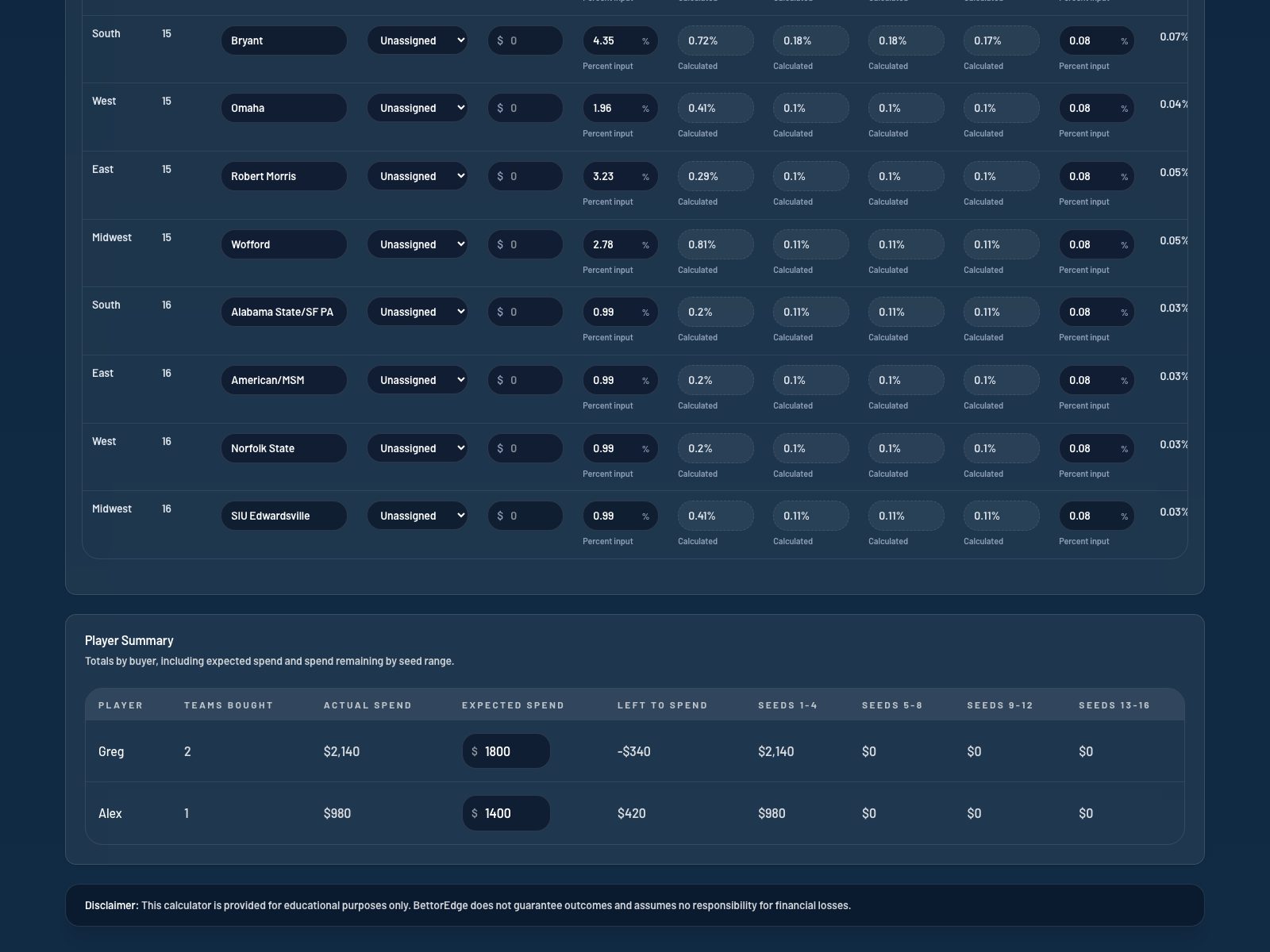
Step 10Link to this stephttps://start.bettoredge.com/tools/calcutta-value-calculator/workspace
Save a snapshot or reset the board when you want a fresh model
Use Save snapshot to keep your local board state in the browser and Reset board when you want to clear the current auction setup while staying in the same event template.
10