BettorEdge Community Guide • Desktop Web Guide
How to Place a Bet on BettorEdge
Learn how to place a bet on BettorEdge using a market order, which takes the current available price instead of setting your own.
Open the market where you want to place your bet
Navigate to the BettorEdge market you want to trade. In this example, the market is the NCAA Basketball Winner board.
1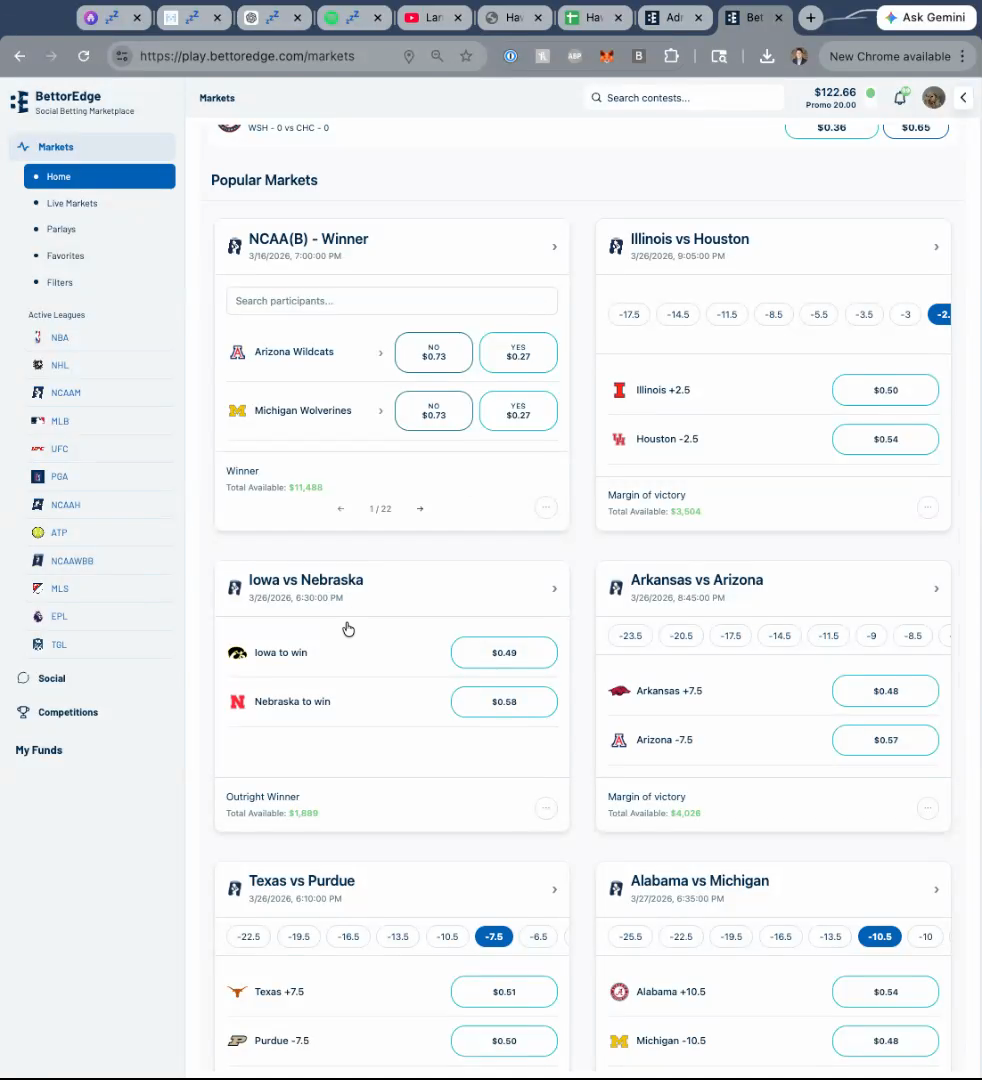
Click the available price for the side you want
Select the current available price on the side you want to bet. This opens the order ticket and starts a market-order style flow using the available market price.
2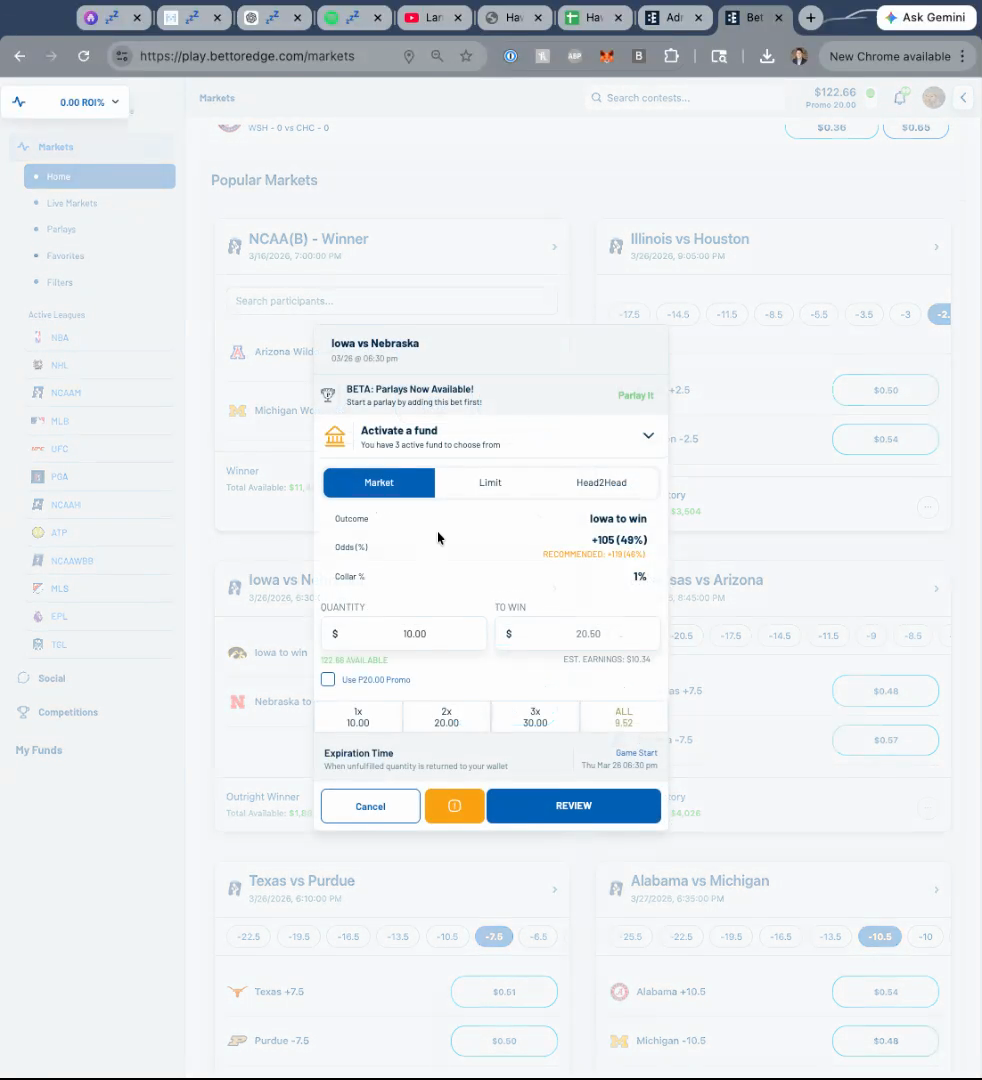
Enter your stake in the order ticket
Type the amount you want to risk or stake in the order form. For this walkthrough, the ticket is using a market order rather than a limit order with a custom price.
3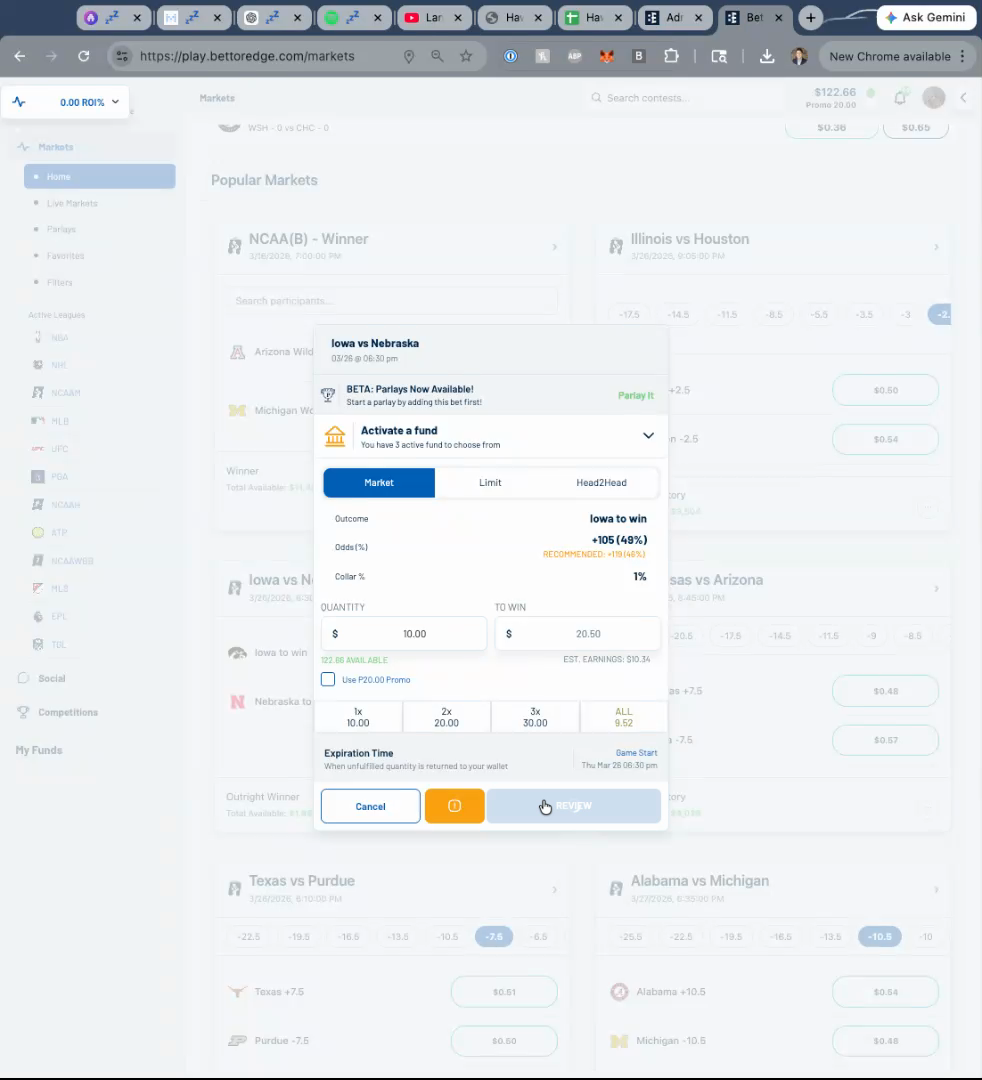
Review the market order details before you submit
Check the side, price, stake, and payout details in the ticket. If you want to set your own price instead of taking the current available one, stop here and use a limit order workflow instead.
4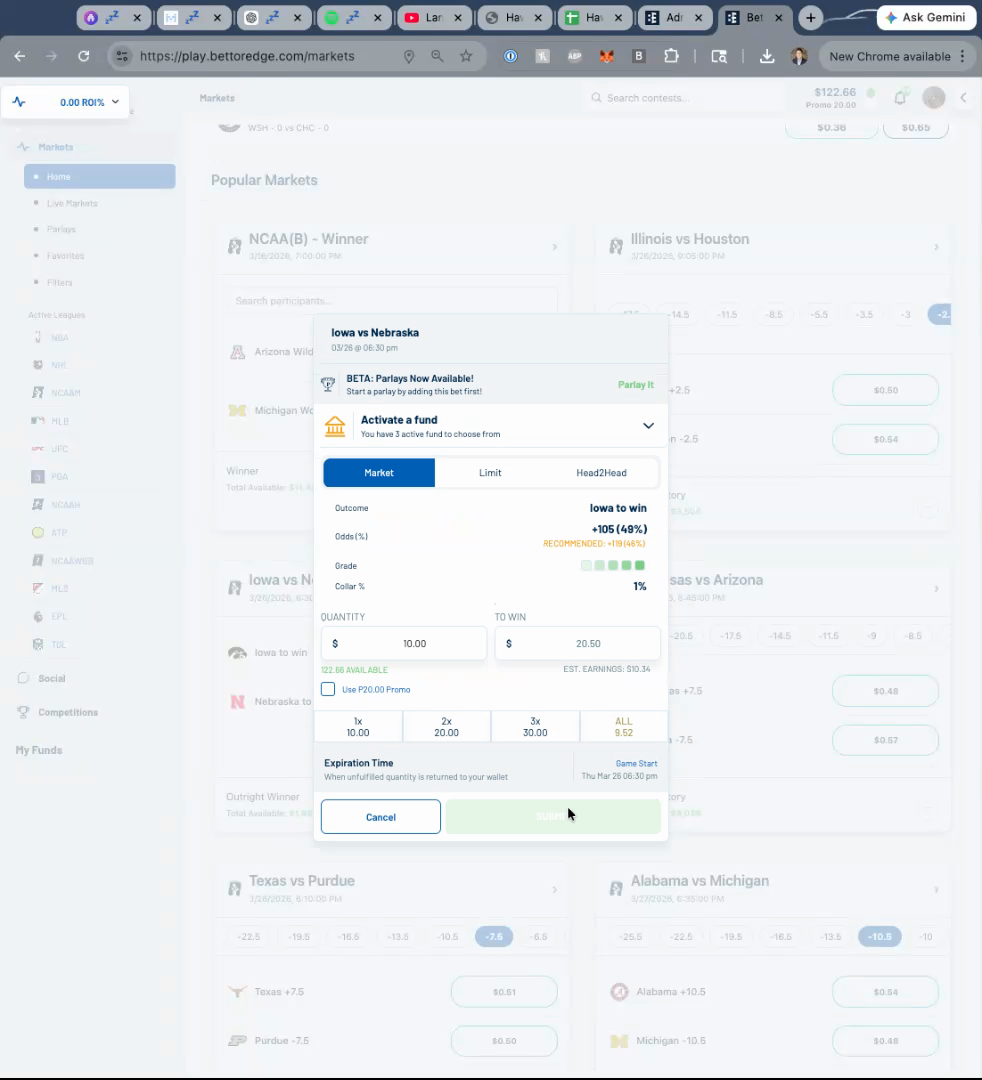
Place the bet
Click the submit button on the ticket to place your market order at the best currently available price.
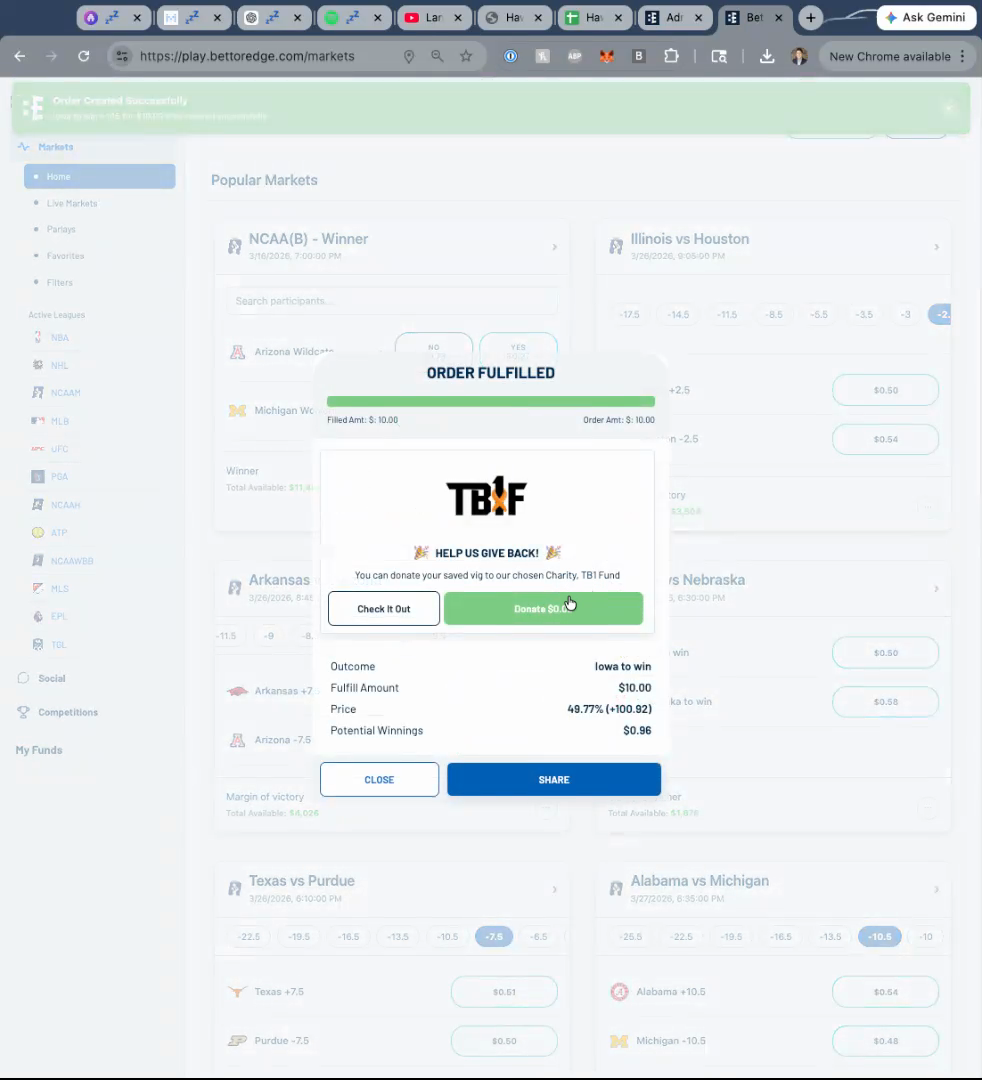
Confirm the order was fulfilled
After submission, review the confirmation state to make sure the order was filled. Order and position monitoring can be expanded in a separate guide focused on reviewing order or position status.
6